
Epson Workforce WF-2885DWF Ink Cartridges
-

 £10.00 offFree Delivery
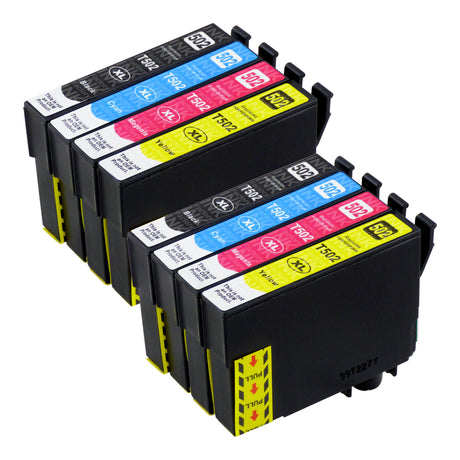
Premium Compatible Epson 502XL Ink Cartridge Multipack for Epson Workforce WF-2885DWF
£24.99£34.99Unit price /UnavailableView product: Premium Compatible Epson 502XL Ink Cartridge MultipackBuy 1 Get 1 Free · Free UK delivery over £15
-
£8.00 offFree Delivery
Premium Compatible Epson 502XL Black Ink Cartridge for Epson Workforce WF-2885DWF
£19.99£27.99Unit price /UnavailableView product: Premium Compatible Epson 502XL Black Ink CartridgeBuy 1 Get 1 Free · Free UK delivery over £15
-

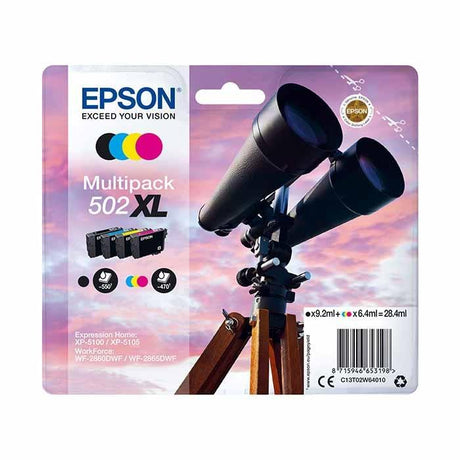
Original Epson T502XL (T02W) Ink Cartridges Multipack for Epson Workforce WF-2885DWF
Currently unavailable

Ink for the Epson Workforce WF-2885DWF
The Epson Workforce WF-2885DWF uses Epson 502 ink cartridges in black, cyan, magenta and yellow. Epson puts a picture on its ink packaging so you can find the right replacement ink at a glance. The Epson picture reference for the Workforce WF-2885DWF is the binoculars.
Our replacement ink for the Epson Workforce WF-2885DWF
Every cartridge we sell for this printer is the XL size. XL cartridges fit the Workforce WF-2885DWF in the same way as the standard size and hold more ink. The multipack has two of each colour under our Buy One Get One Free offer, and the black cartridge also comes two for the price of one.
Each XL cartridge prints up to 550 pages in black and 470 pages in each colour (ISO testing at 5% coverage).
You may see this printer written as WF 2885DWF, WF2885DWF, Epson WF-2885DWF or Epson 2885.
How do I run a nozzle check on the Epson Workforce WF-2885DWF?
On the printer's screen, go to Maintenance, then Print Head Nozzle Check. To see ink levels, go to Settings, then Supply Status.
How do I clean the print head on the Epson Workforce WF-2885DWF?
If the nozzle check pattern has gaps, run the clean offered after the check. This printer has no Power Cleaning. Epson advises about four cleans, then 6 hours without printing; if that does not help, contact Epson.
Source: Epson's guide for this printer series.